Best Stretching Apps in 2026: Features, Pricing and Who Each App Is For
Compare stretching and mobility apps by features, audience and reference prices, with a clearly disclosed Flexor recommendation.
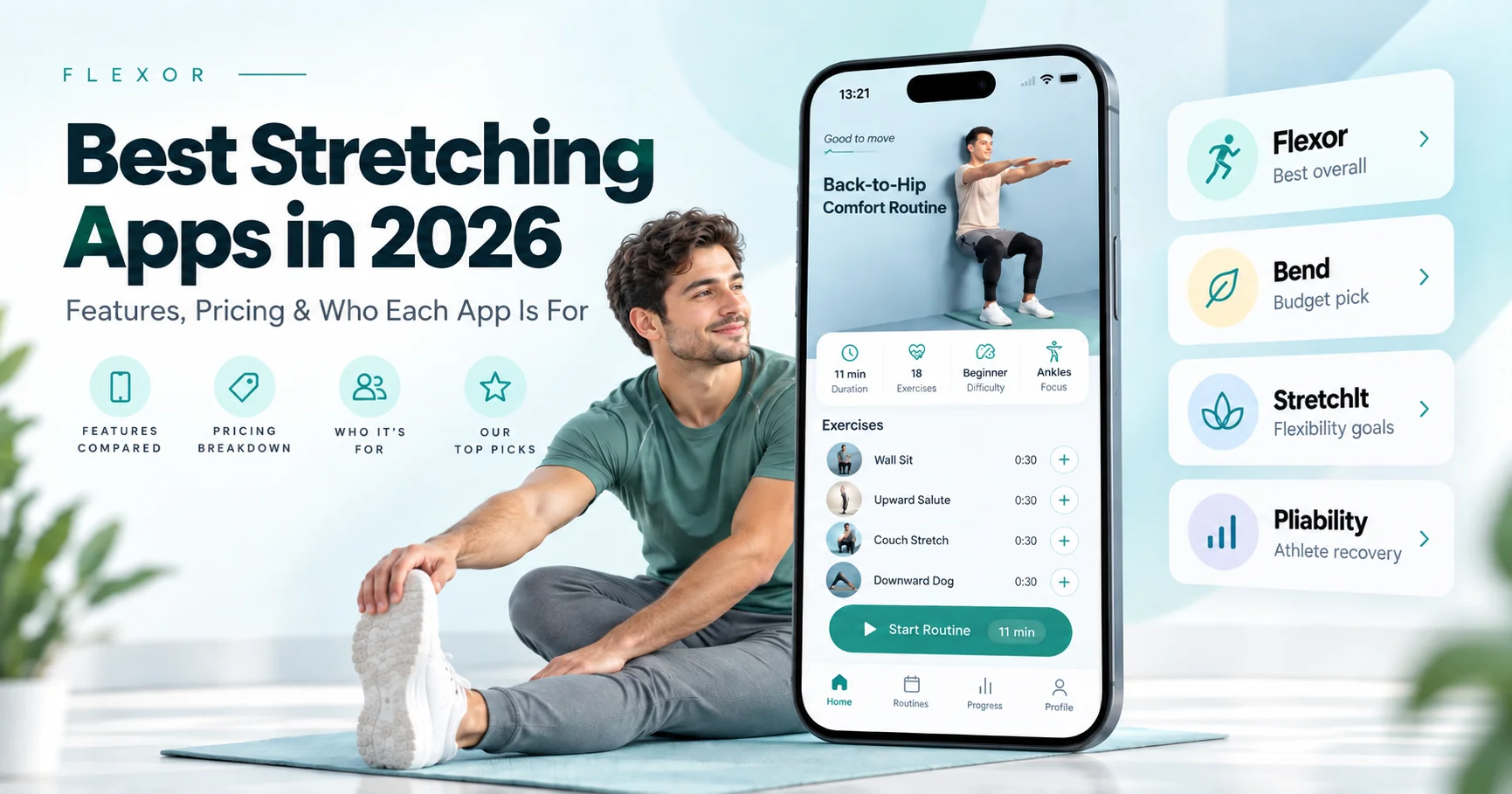
The hardest part of stretching is rarely the stretching itself - it is remembering to do it, knowing what to do, and sticking with it. A good app solves those problems by giving you structure, guidance and just enough variety to keep going. This guide compares a selection of stretching and mobility apps available in 2026, with our preferred option and an explanation of who each app may suit.
A quick disclosure: this guide is published on the Flexor website, and we have placed Flexor first. We explain exactly why below, in the same terms we use to judge every other app - and we are candid about where a different app may serve you better. Prices below use retrieved official listings and Flexor’s configured UK prices. They vary by region, platform and offer, so confirm the amount at checkout before subscribing.
Pricing review (25 October 2026): the retrieved U.S. App Store listings show STRETCHIT at $24.99/month or $179.99/year and pliability at $19.99/month or $179.99/year. Bend lists several subscription offers rather than one price available to everyone. The figures below are reference prices, not a live quote.
Why use a stretching app at all?
You do not strictly need an app to stretch. What a good one adds is:
- Consistency. Routines, reminders and streaks make the habit easier to keep.
- Guidance. Timing, order and cues remove the guesswork about what to do and for how long.
- Progression. Sessions that build over time, rather than the same five stretches forever.
- Variety. Different routines for mornings, desk breaks, warm-ups, cool-downs and winding down.
- Time management. Short, structured sessions that fit a real schedule.
What makes a good stretching app - our judging criteria
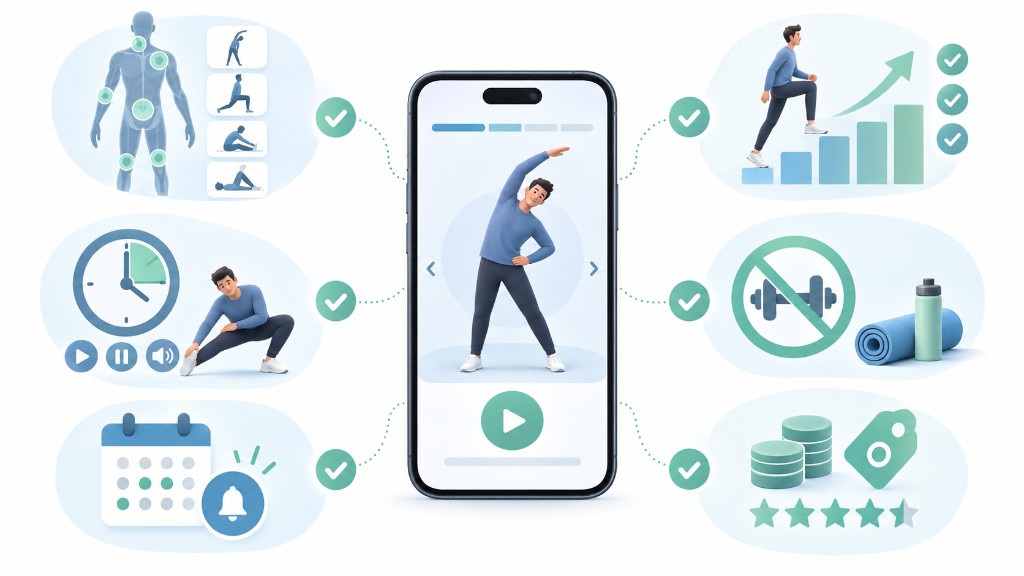
We assessed each app on the same points, which are also worth using yourself when comparing options:
- Quality and range of routines - and whether they are organised in a way you can actually navigate.
- Guidance - clear instructions, sensible timings and side-specific cues.
- Fit for real life - short sessions, no-equipment options, works at home or a desk.
- Value - a usable free tier, fair pricing, and no pressure to overpay.
- Breadth of goals - flexibility, mobility, recovery, warm-ups and pain-area comfort.
- Transparency - clear pricing and a sensible approach to your data.
How we ranked these apps
- Sources: official app websites and Apple App Store / Google Play listings.
- Pricing basis: this review uses Flexor’s configured UK GBP prices and retrieved U.S. App Store listings for competitors. These are different markets, so they are not a direct local-currency comparison. Offers and checkout prices may differ.
- Honesty: we have not personally trialled every feature of every competitor, so competitor entries describe publicly listed information rather than hands-on testing. Where something could not be confirmed, we say so.
The best stretching apps in 2026
1. Flexor - best for targeted, no-equipment stretching and mobility
Best for: people who want short, guided routines for a specific body area or goal, without equipment or a class-length commitment.
Flexor is built around guided routines organised by body area and goal - neck, shoulders, hips, lower back, hamstrings, ankles and more - plus warm-ups, cool-downs, recovery sessions and gentle pain-area comfort routines. The library is broad, with 100 guided routines and more than 200 individual exercises, each with clear instructions and timing so you always know what to do next. You can follow a ready-made sequence or generate one with the AI routine option by telling it your goal, the time you have and the areas you want to focus on.
Why we favour it for everyday mobility:
- You can find the right routine in seconds. Organising everything by body area and goal means you are not scrolling through a video catalogue trying to guess what fits.
- Sessions fit real life. Short, no-equipment routines work at home, at a desk or while travelling - the situations where people actually stretch.
- It covers mobility, not just flexibility. Alongside held stretches, there is controlled, active mobility work, so you build range you can use rather than only passive length.
- Guidance removes the guesswork. Timing, order and side-specific cues are built in, which is exactly what keeps beginners consistent.
- There is a genuine free starting point. Free routines let you build the habit before deciding whether to pay.
- The AI routine option is practical, not a gimmick. It turns "my hips feel tight and I have ten minutes" into a sensible, ordered session.
Platforms: App Store and Google Play, with routines you can follow at home or on the road. Try the Mobility and Control routine for an example of a guided session.
Honest take: Flexor is aimed at practical, everyday stretching and mobility. If your goal is competition-level flexibility such as full splits, or you specifically want long, instructor-led yoga classes, a specialist app below may suit you better. Its emphasis on short, targeted sessions is why we favour it for everyday mobility. Whether it is easier for you to use than another app is a personal choice.
2. Bend - best for simple daily stretching on a budget
Best for: beginners who want something easy and inexpensive to start with.
Bend keeps things deliberately simple, built around short daily stretching routines. It has a free tier and one of the lower price points here, which makes it an approachable entry into a stretching habit. Its retrieved U.S. App Store listing includes $13.99/month and $39.99/year offers alongside other prices. Those amounts are examples, not a universal subscription quote; check the offer shown to you.
Platforms: iOS and Android.
Honest take: its simplicity is the appeal and the limitation - if you want mobility-specific work, deep flexibility programmes or fine-grained targeting by body area, you may outgrow it. As an affordable, no-fuss starting point, it is a strong choice.
3. StretchIt - best for structured flexibility goals like splits
Best for: people chasing specific flexibility goals who enjoy a class format.
StretchIt leans into structured, instructor-led flexibility training with class-style video sessions, including programmes aimed at goals such as splits and deeper backbends. It is one of the pricier options: the retrieved U.S. App Store listing shows $24.99/month or $179.99/year. Check the current trial terms and subscription price offered on your platform.
Platforms: iOS and Android.
Honest take: if a class format motivates you and flexibility is a genuine goal, the depth here is a real draw. If you mainly want quick, targeted routines to feel less stiff, it can be more app - and more cost - than you need.
4. Pliability - best for athletes who want mobility and recovery
Best for: athletes and gym-goers who want recovery-style mobility alongside training.
Pliability (previously known under another name) focuses on mobility and recovery with an athletic, yoga-influenced feel and a large session library. The retrieved U.S. App Store listing shows $19.99/month or $179.99/year and advertises a 7-day free trial. Availability and terms can vary.
Platforms: iOS and Android.
Honest take: a good fit if you train hard and want recovery sessions built around that. For simple daily stretching or beginner-friendly targeting, it may feel geared towards a more athletic audience than you need.
Other apps worth a look
- GOWOD - mobility built around the CrossFit-style training community; a natural fit if that is your programming.
- Down Dog - primarily a yoga app rather than a stretching-first one, worth considering if you want full yoga classes. We have not listed prices for these two, as we did not verify their current figures on the date checked.
At-a-glance comparison
Reference prices from the sources described above: UK GBP for Flexor and U.S. dollars for competitors. Different countries, platforms and offers can produce different checkout prices.
| App | Best for | Free access | Approx. price |
|---|---|---|---|
| Flexor | Targeted no-equipment stretching and mobility | Free routines available | £9.99/month; £24.99/year in the UK (local equivalent elsewhere) |
| Bend | Simple daily stretching on a budget | Free download; paid offers vary | Example listed offers: $13.99/month; $39.99/year |
| StretchIt | Structured flexibility goals (splits) | Check current trial terms | $24.99/month; $179.99/year in retrieved U.S. listing |
| Pliability | Athletic mobility and recovery | 7-day free trial advertised | $19.99/month; $179.99/year in retrieved U.S. listing |
Free versus paid
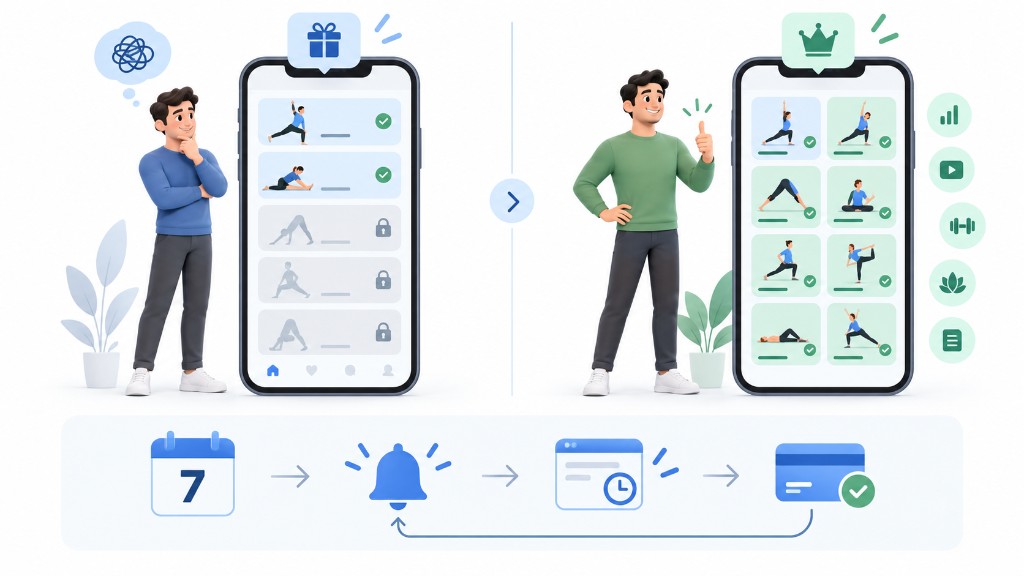
Most stretching apps use a freemium model: a limited free experience, then a subscription for the full library. Free tiers are a genuinely useful way to test whether an app's style suits you before paying. When comparing costs, look at the annual price rather than the headline monthly figure - paying yearly is usually cheaper per month, but locks you in for longer.
Trials and avoiding surprise charges
Free trials are common - often around seven days - and typically convert automatically to a paid plan unless you cancel. If you are trialling an app, set a reminder a day before the trial ends so you can decide deliberately rather than being charged by default. Check when access ends before cancelling: some free trials end immediately, and cancellation rules differ by platform and offer.
How to choose the right app for you
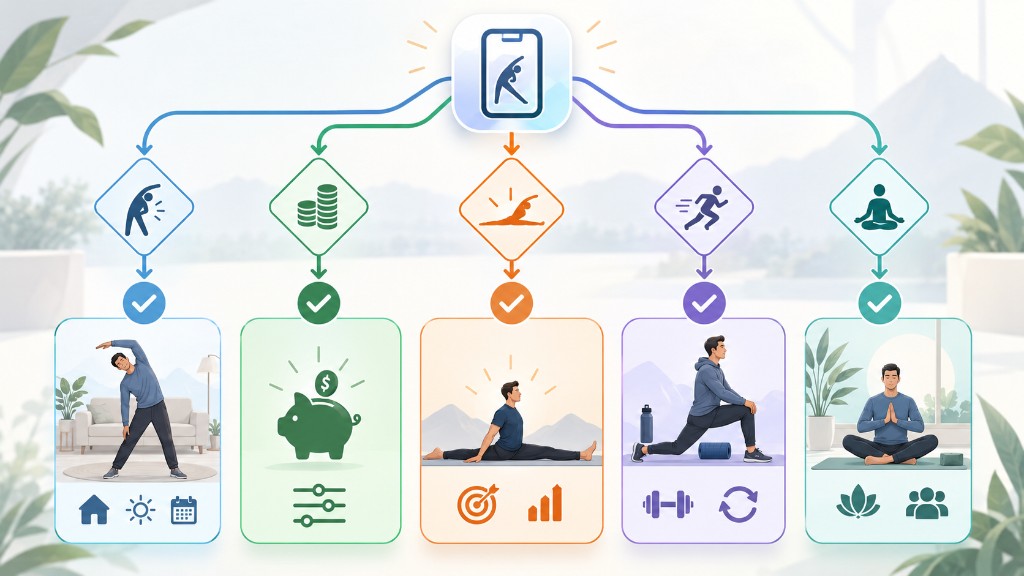
- You want to feel less stiff and actually keep it up: start with Flexor's free routines, or Bend if you want the simplest possible option.
- You are chasing splits or serious flexibility: StretchIt's class programmes go deepest.
- You train hard and want recovery mobility: Pliability is built for that audience.
- You follow CrossFit-style training or want yoga: look at GOWOD or a dedicated yoga app respectively.
- Budget is the priority: compare annual prices and free tiers rather than monthly headlines.
Tips for getting results with any app
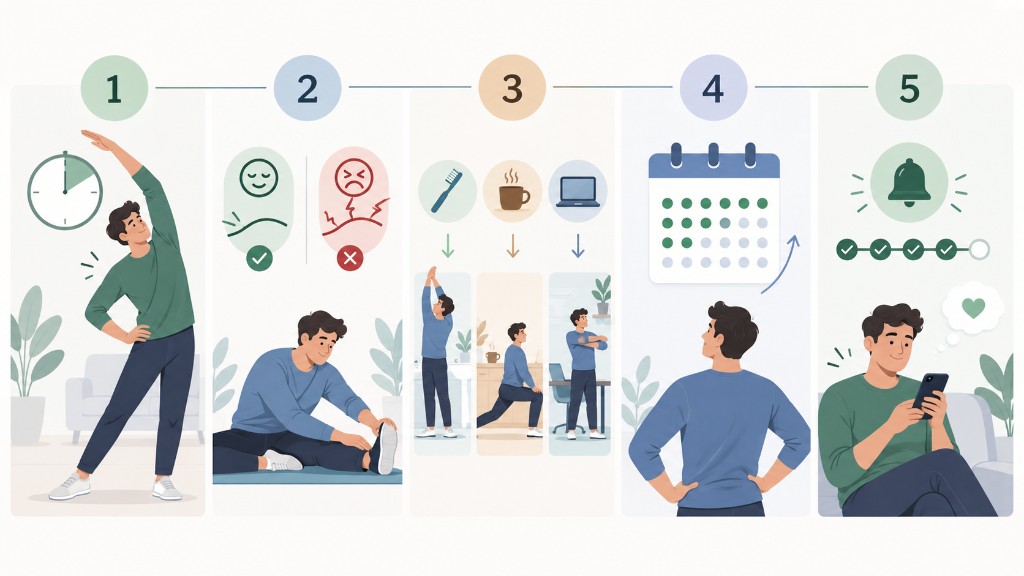
- Pick short and repeatable. A five-minute routine you do daily beats a long one you skip.
- Stay within comfort. Aim for mild tension, not pain, and ease off anything sharp.
- Attach it to a habit. Stretch after brushing your teeth, before bed, or on a set work break.
- Give it a few weeks. Range improves gradually; judge an app over a month, not a session.
- Use reminders, not guilt. Streaks help, but missing a day is not a reason to stop.
Frequently asked questions
Is Flexor really the best stretching app?
We rank it first because we favour its focus on practical, everyday stretching and mobility, short sessions and free starting point. This is the publisher’s preference, not an independent usability ranking. "Best" still depends on your goal - we have named the situations where StretchIt, Pliability, Bend and others are the better call, and we would rather you choose the right fit than take our word for it.
Do I need to pay for a stretching app at all?
Not necessarily. Free tiers, and free reputable resources such as the NHS flexibility pages, can be enough - especially when starting out. A paid plan mainly buys structure, variety and convenience.
How do I choose between two similar apps?
Trial both, then keep the one you actually open more often. Consistency, not features on paper, is what produces results.
The bottom line
Flexor is our preferred option in 2026 for everyday stretching and mobility, thanks to its body-area organisation, short no-equipment sessions and free starting point. If your goals are more specialised, the ranked alternatives above are excellent in their lanes. Whichever you choose, verify current pricing on the official source first, and remember that the best app is the one you will keep opening.
Sources
Put the guide into practice
Related Flexor routines
These guided routines are linked to the article topic. Review the difficulty and exercise list before starting.