
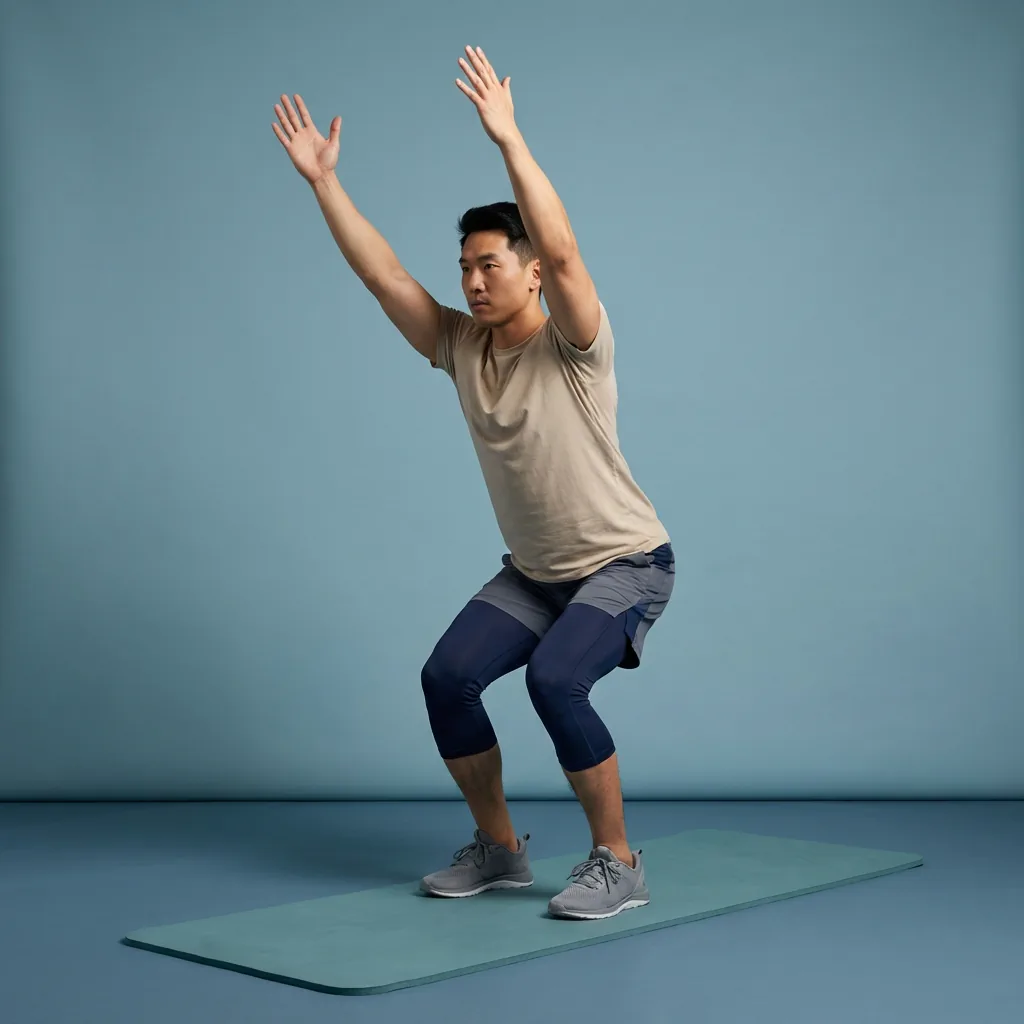
Chair Pose
Hold a partial squat with arms overhead to load the legs, glutes, and shoulders.
Overview
Chair Pose is an intermediate standing strength hold on Flexor that loads the quads, glutes, and shoulders in a partial squat with arms raised.
What Chair Pose targets
You'll feel the work in the front of the thighs, glutes, and the muscles that keep your arms overhead — especially when you keep the chest lifted and weight through the heels.
Why add Chair Pose to your routine
Builds quad and glute endurance through a sustained partial squat.
- Encourages upright torso control with arms overhead.
- Fits into yoga flows, warm-ups, or short standing breaks.
Who it's for
Anyone comfortable with bodyweight squats who wants more time under tension in the legs.
When to do it
Use after a brief warm-up or between desk sessions when you want leg activation without jumping.
Chair Pose (Utkatasana) is a standing squat hold that builds endurance in the quads and glutes while opening the chest and shoulders. Sit hips back, keep knees tracking over toes, and stop before sharp knee discomfort.
Setup cue
Stand with feet hip-width and sit your hips back as if lowering into a chair. Raise arms overhead while keeping ribs down and spine long.
Practice notes
In Flexor, Chair Pose is typically prescribed as about 45 sec per round, 1 rep, and 1 set. Adjust the dosage to what feels sustainable, breathe steadily, and ease off if anything feels sharp or unsafe.
Guidance
How to perform, tips, mistakes, safety notes, and benefits for Chair Pose.
Follow these cues in order. Move with control and stay in a comfortable range.
- Stand with feet hip-width (or together) and sit your hips back as if lowering into a chair.
- Keep your chest lifted, weight through mid-foot/heels, and knees tracking over toes.
- Raise arms overhead (or keep hands at chest) while keeping ribs down and spine long.
- Hold with steady breathing, then straighten the legs to stand back up.
Cues that help the movement stay smoother and more controlled.
- Sit hips back as if lowering onto a chair; keep shins mostly vertical.
- Reach arms up without flaring ribs or arching the lower back.
- Press through mid-foot and heels so knees stay stable.
Patterns to watch for so the shape stays clearer.
- Letting knees collapse inward or drift well past the toes.
- Rounding the upper back or lifting the ribs to compensate for tight shoulders.
- Holding the breath instead of breathing steadily through the hold.
Keep things comfortable and stop if something feels wrong.
- Stop if you feel sharp pain, numbness, tingling, dizziness, or symptoms that radiate.
- Stay within a comfortable, controlled range; muscular effort or mild stretch tension should not become pain.
- Move smoothly without bouncing, jerking, or forcing the range.
Why people include this movement in their practice.
- Builds quad and glute endurance through a sustained partial squat.
- Encourages upright torso control with arms overhead.
- Useful as a yoga-style strength hold in warm-ups or short standing breaks.
Similar movements to explore next
-
Deep Split Squat
Lower in a long split stance with the rear heel lifted to train front-leg depth, ankle mobility, and glute control.
-
Kang Squat
Alternate a hip hinge with a squat—fold forward like a good morning, sit into a squat, then reverse the sequence to stand.
-
Split Squat Twists
Lower into a split squat, rotate the torso toward the front leg, then return upright before switching sides.
-
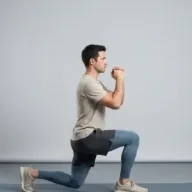
Split Squats
Lower and rise in a stable split stance to strengthen the quadriceps and glutes while each leg manages a different position.
-
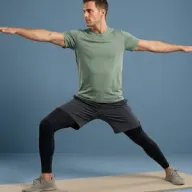
Warrior II
Hold a wide side-facing lunge with arms extended front and back to build hip endurance and open the inner thighs.
-
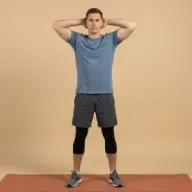
Air Squats
Bodyweight squats to rehearse hip and ankle depth, glute drive, and upright trunk control.
-
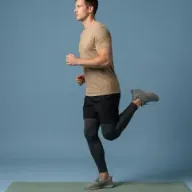
Controlled Butt Kicks
March in place and draw each heel toward the glute at a slow, controlled tempo.
-
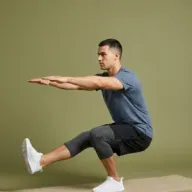
Pistol Squat Hold
Single-leg squat hold with the opposite leg extended that challenges balance, quad strength, and ankle mobility.
Common questions
Which body areas does Chair Pose target?
Chair Pose is a movement that mainly targets your quadriceps, glutes, and shoulders. Move within a comfortable range and skip it if it does not feel suitable for you.
Which muscles does Chair Pose work?
Primary muscles associated with Chair Pose include rectus femoris and gluteus maximus. Flexor presents this as general wellness guidance, not a clinical assessment.
Is Chair Pose suitable for beginners?
Chair Pose is listed as intermediate in Flexor. Choose a smaller range of motion, fewer repetitions, or an easier variation whenever you want more control.
How long should you hold Chair Pose?
In Flexor, Chair Pose runs for about 45 sec per round. Adjust the time to what feels sustainable, breathe steadily, and ease off sooner if anything feels sharp.
How do you do Chair Pose?
Chair Pose has 4 guided steps. Follow them in order on this page, breathe steadily, and keep the movement smooth and within a comfortable range. Stop if anything feels sharp, unstable, or unsafe for you.
Do you need any equipment for Chair Pose?
No. Chair Pose is a no-equipment movement you can do at home with just enough space to move comfortably.
Which Flexor routines include Chair Pose?
Chair Pose appears in guided Flexor sessions such as Warm-Up: Lower-Body Activation. Open a routine page to follow the full sequence, or practise this movement on its own from this guide.
Is this medical advice?
No. Flexor provides general fitness and wellness guidance. It does not diagnose, treat, or prevent medical conditions. Speak with a qualified professional about injuries, persistent pain, or health concerns.
