
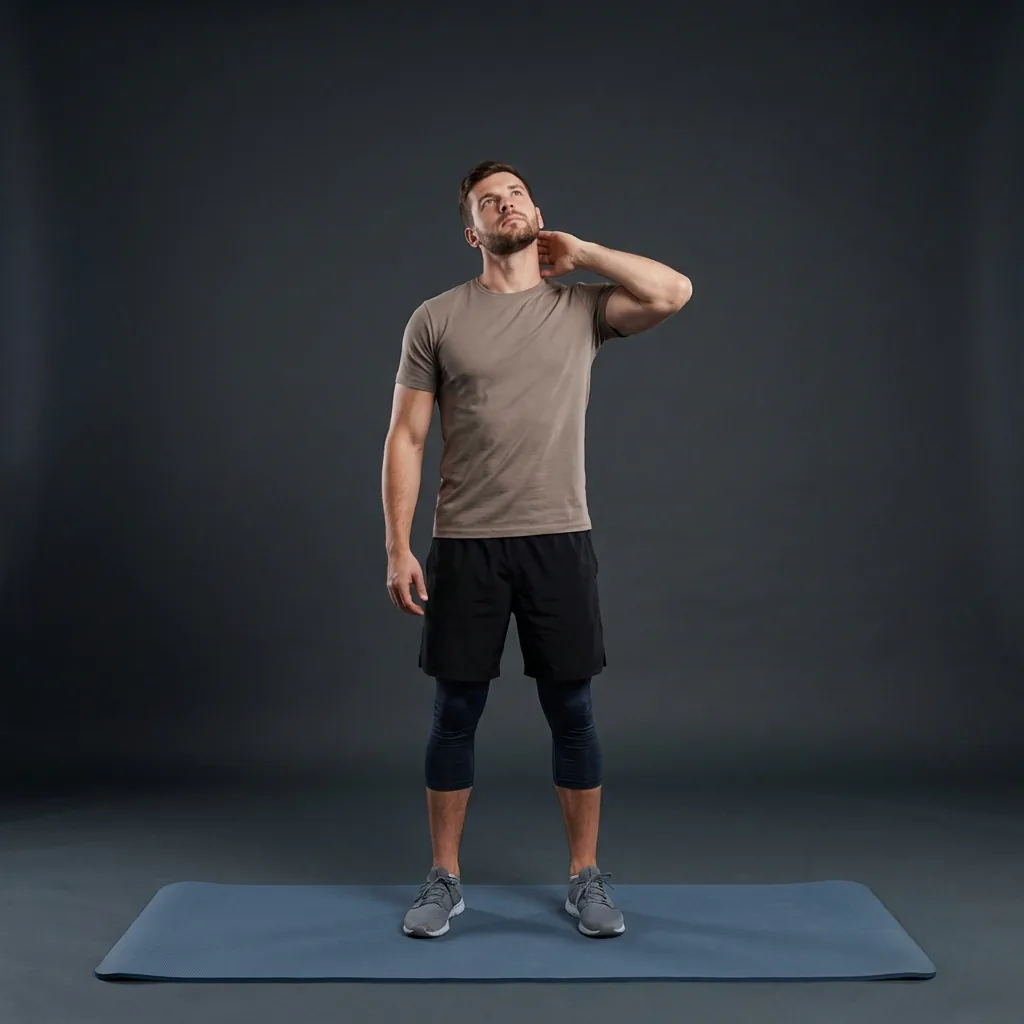
Neck Extension
Sit or stand tall, then lift the chin to extend the neck backward and open the front of the throat.
Overview
Neck Extension is a gentle backward head-tilt drill on Flexor. The movement is extension only: the chin lifts, the gaze moves upward, and the head returns to neutral.
What Neck Extension targets
You should feel a light opening through the front of the neck and throat area, not a forced pinch at the base of the skull.
Why add Neck Extension to your routine
It gives the neck a small, controlled opposite direction after long periods of looking down at a phone, laptop, or desk.
- Backward head tilt only.
- Small comfortable range is enough.
- No equipment and works seated or standing.
Who it's for
Beginners who want gentle neck mobility and can move without dizziness, sharp pain, or radiating symptoms.
When to do it
Use during a neck mobility break or warm-up, keeping the pace slow and the range easy.
Neck Extension is a controlled backward head tilt only. From a neutral gaze, the chin lifts and the head tips back within a small comfortable range before returning to neutral.
Setup cue
Sit or stand tall with eyes forward, shoulders relaxed, and the back of the neck starting neutral. Lift the chin slowly and extend the neck backward, letting your gaze reach upward without snapping.
Practice notes
In Flexor, Neck Extension is typically prescribed as about 45 sec per round, 1 rep, and 1 set. Adjust the dosage to what feels sustainable, breathe steadily, and ease off if anything feels sharp or unsafe.
Guidance
How to perform, tips, mistakes, safety notes, and benefits for Neck Extension.
Follow these cues in order. Move with control and stay in a comfortable range.
- Sit or stand tall with eyes forward, shoulders relaxed, and the back of the neck starting neutral.
- Lift the chin slowly and extend the neck backward, letting your gaze reach upward without snapping.
- Hold before pinching, dizziness, or compression appears at the skull base, even if the range is small.
- Lower the head back to neutral with control, then repeat the backward path without circles or side bends.
Cues that help the movement stay smoother and more controlled.
- Move as if the head is tipping back on a slow hinge rather than snapping backward.
- Keep the jaw soft and the shoulders heavy while the gaze travels upward.
- Return fully to neutral between reps so every repetition starts cleanly.
Patterns to watch for so the shape stays clearer.
- Nodding the chin down first and turning the drill into neck flexion.
- Rolling through circles or side bends instead of practicing straight extension.
- Forcing the head back past mild tension and creating pinching at the skull base.
Keep things comfortable and stop if something feels wrong.
- If you have a history of spinal/neck injury, disc issues, or recent surgery, consult a clinician before progressing range or intensity.
- Stop if you feel sharp pain, numbness, tingling, dizziness, or symptoms that radiate.
- Keep the range small and comfortable; light front-neck tension is enough, and pain is a stop sign.
- Move smoothly without bouncing, jerking, or forcing the range.
Why people include this movement in their practice.
- Practices gentle cervical extension after time spent looking down at screens.
- Builds awareness of a comfortable backward head-tilt range without forcing the neck.
- Pairs well with separate chin-tuck work while keeping this drill extension-only.
Similar movements to explore next
-
Neck Roll
Partial chin-to-shoulder neck roll that moves through flexion and lateral bend without full backward circles.
-
Diver
Reach the arms forward and round the upper back like a diver entering the water.
-
Bear Hug
Wrap both arms across your chest and round the upper back to stretch rear shoulders and between the shoulder blades.
-

Chin Retractions
Glide the head straight back to tuck the chin and reset forward-head posture.
-

Ear-to-Shoulder
Tilt the head toward one shoulder to stretch the side of the neck and upper trap.
-
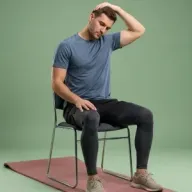
Neck Laterals
Seated ear-to-shoulder side bend that stretches the side of the neck and upper trap.
-
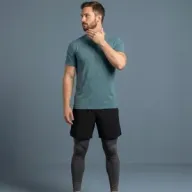
Neck Rotation
Controlled head turns left and right to restore neck rotation while keeping the torso still.
-
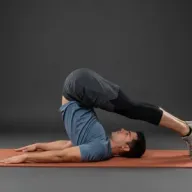
Plow
Supine legs-overhead fold that lengthens the spine and hamstrings with hands supporting the lower back.
Common questions
Which body areas does Neck Extension target?
Neck Extension is a mobility movement that mainly targets your neck and spine. Move within a comfortable range and skip it if it does not feel suitable for you.
Which muscles does Neck Extension work?
Primary muscles associated with Neck Extension include upper trapezius. Flexor presents this as general wellness guidance, not a clinical assessment.
Is Neck Extension suitable for beginners?
Neck Extension is listed as beginner in Flexor. Choose a smaller range of motion, fewer repetitions, or an easier variation whenever you want more control.
How long should you hold Neck Extension?
In Flexor, Neck Extension runs for about 45 sec per round. Adjust the time to what feels sustainable, breathe steadily, and ease off sooner if anything feels sharp.
How do you do Neck Extension?
Neck Extension has 4 guided steps. Follow them in order on this page, breathe steadily, and keep the movement smooth and within a comfortable range. Stop if anything feels sharp, unstable, or unsafe for you.
Do you need any equipment for Neck Extension?
No. Neck Extension is a no-equipment movement you can do at home with just enough space to move comfortably.
Which Flexor routines include Neck Extension?
Neck Extension appears in guided Flexor sessions such as Express Neck Release, Gentle Neck Release, Upper Trap Unwind, and Neck Mobility Recharge. Open a routine page to follow the full sequence, or practise this movement on its own from this guide.
Is this medical advice?
No. Flexor provides general fitness and wellness guidance. It does not diagnose, treat, or prevent medical conditions. Speak with a qualified professional about injuries, persistent pain, or health concerns.
